OCPP connection settings
Article contents
This professional procedure describes a specific original configuration or local SmartSystem interface. Verify applicable steps and parameters against the control unit and supplied equipment's documentation. It is not universal for every TouchPoint variant.
1. Logging in to the charging station (AV SmartSystem):
You can log in to the charging station's web server remotely at https://portal.tecomat.com/ or locally through ETH1 or ETH2. More details are available on our support page under Guides → Login credentials and basic access.
2. Configuring the connection:
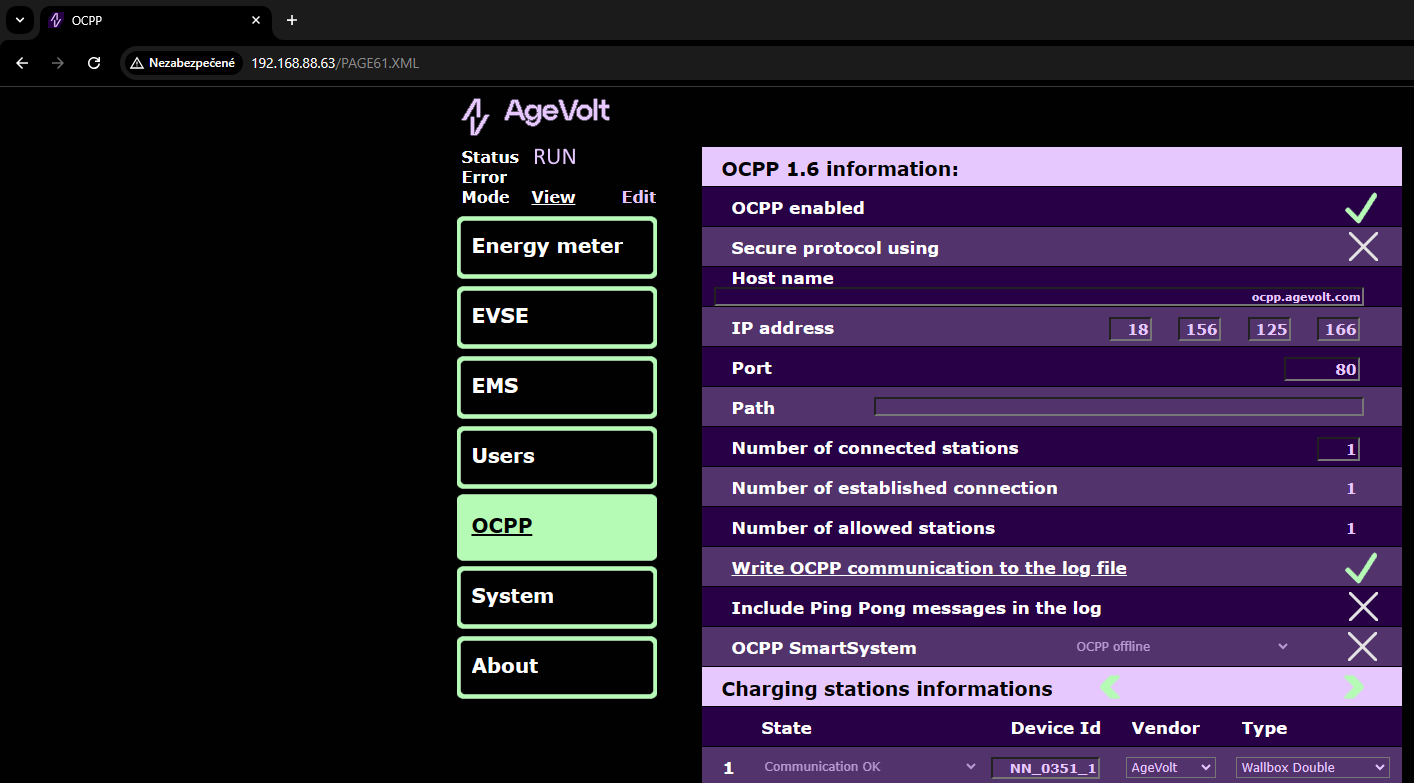
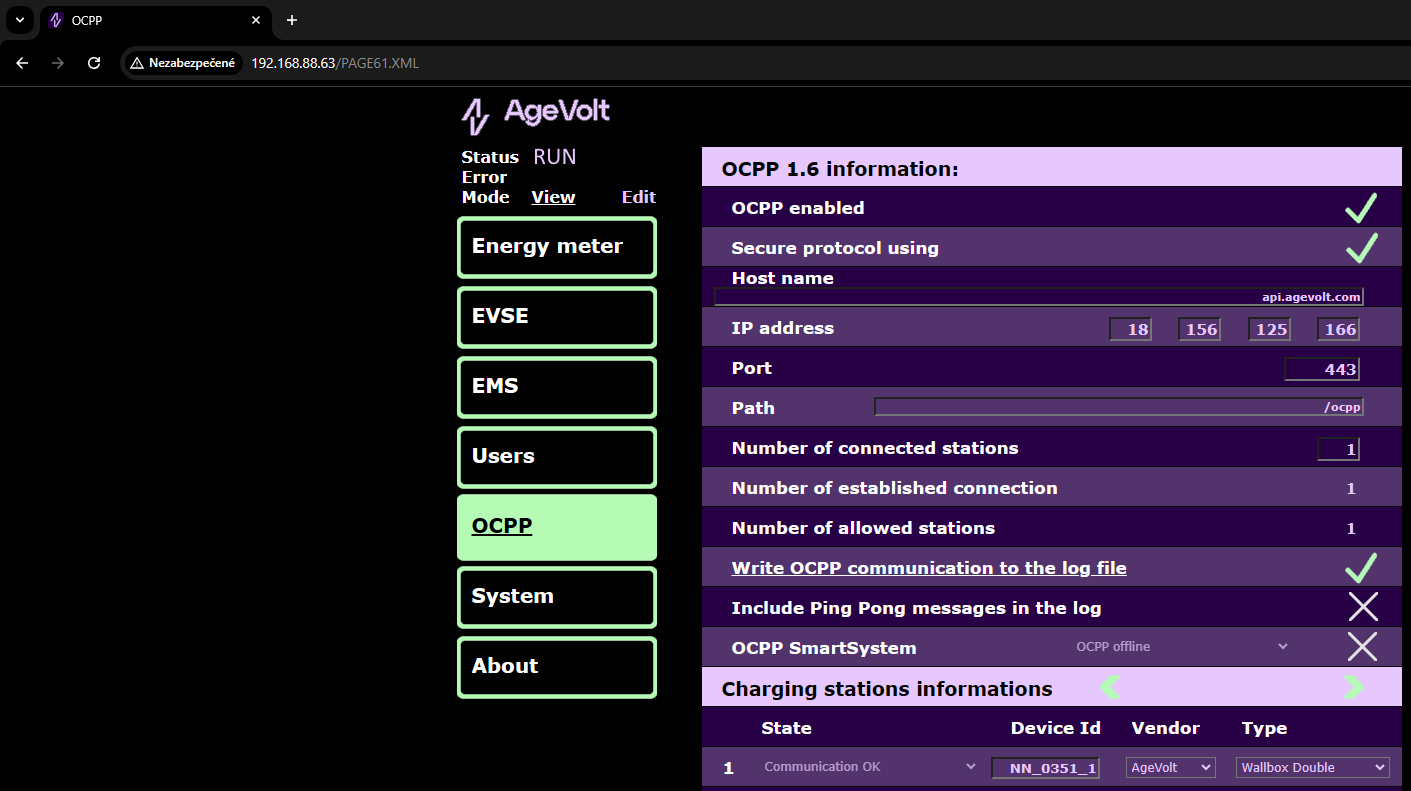
OCPP server connection parameters are configured under OCPP → Edit (/PAGE61.XML). The individual settings are:
- OCPP enabled: enables connection to the OCPP server
- Secure protocol using: enables a secure WebSocket connection
- Host name: the name or IP address of the OCPP server
- IP address: leave this empty; it is the resolved address of the name entered in Host name, or a copy of the IP address entered in Host name
- Port: server connection port, usually 443 for wss and 80 for ws
- Path: path
The service provider usually supplies the OCPP server address in the following format, corresponding to the charging station settings above:
WsType://HostName:Port/Path/
WsType determines the Secure protocol using setting and can be
- wss for a secure WebSocket connection
- ws for an unsecured WebSocket connection
Example configuration of a secure WebSocket connection to the server
The server address is wss://api.agevolt.com:443/ocpp/
Example configuration of an unsecured WebSocket connection to the server
The server address is ws://ocpp.agevolt.com:80/